
The hosting control panel that stays out of the way
panelOwl is a lightweight cPanel alternative for Ubuntu servers: it replaces cPanel/WHM on a single machine. Clients get domains, SSL, email, databases, files and cron in a panel they understand at first sight. You get plain Apache, PHP-FPM, MariaDB, Postfix and Dovecot, configured the way you would do it by hand.
Built on the stack you already trust
 Ubuntu 24.04
 Apache
 PHP-FPM
 MariaDB
 MySQL
MySQL Dovecot
 Let's Encrypt
 Cloudflare
 Roundcube
 phpMyAdmin
 RedisPostfixRspamdPowerDNScgroups v2Ed25519-signed releasesUbuntu 24.04ApachePHP-FPMMariaDBMySQLDovecotLet's EncryptCloudflareRoundcubephpMyAdminRedisPostfixRspamdPowerDNScgroups v2Ed25519-signed releases
Everything an efficient web host needs, nothing it doesn't
The feature list of a big panel, trimmed to what a well-run server actually uses, and built so you could read every generated config file.
Domains & SSL
Addon domains and subdomains with .htaccess-compatible Apache. Let's Encrypt certificates issued and renewed by themselves, with a DNS pre-check so nothing fails silently.
Email that lands
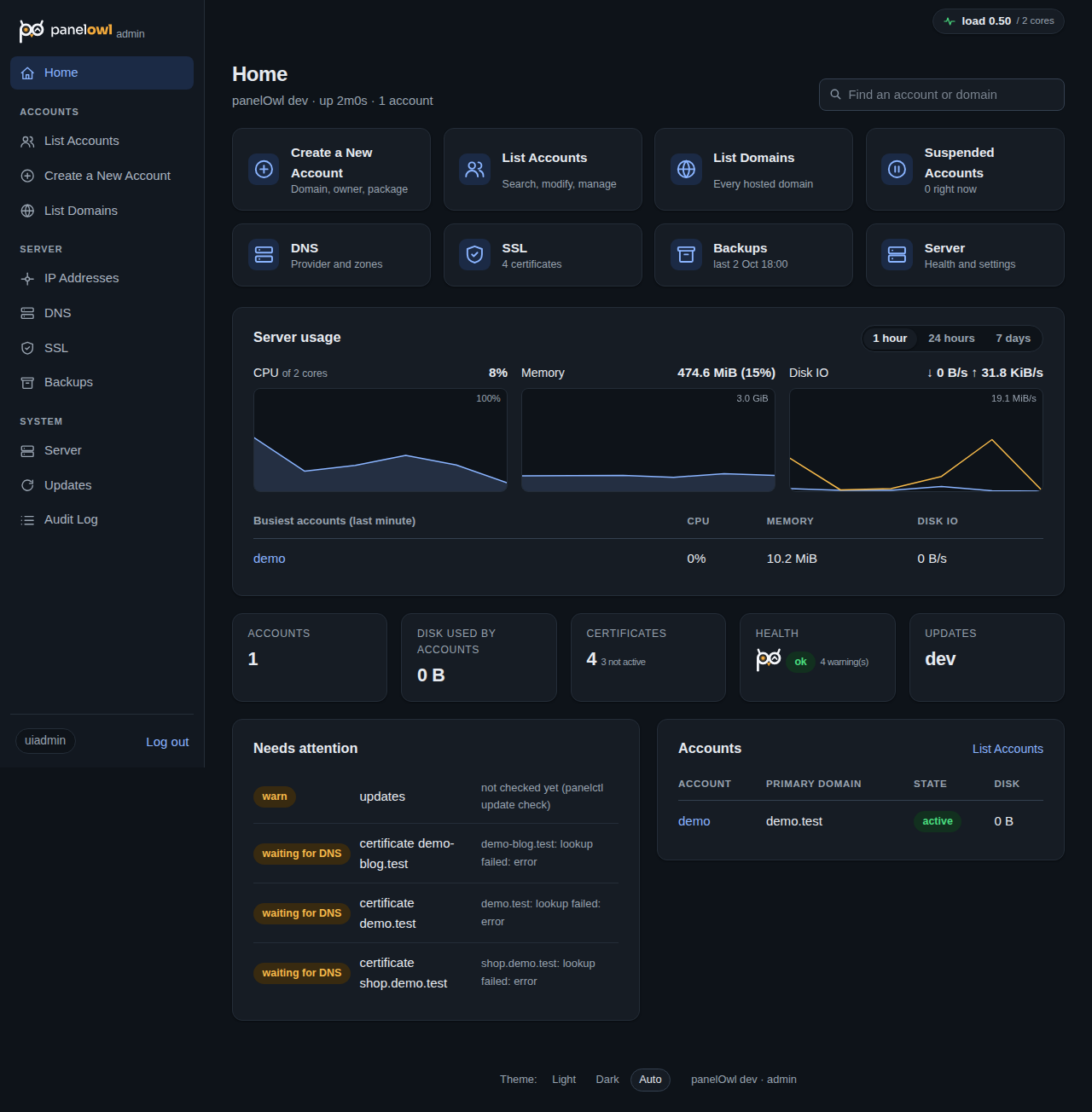
Mailboxes, forwarders and catch-alls on Postfix and Dovecot, DKIM signed by Rspamd, webmail included, and the SPF, DKIM and DMARC records spelled out for every domain.
DNS your way
Host zones on the server with PowerDNS, in Cloudflare, or in the cPanel DNSOnly cluster you already run. Records are published automatically; clients edit the rest.
Databases
MariaDB databases and users with generated passwords and real privilege boundaries, plus phpMyAdmin with single sign-on from the panel.
Resource limits
CPU, memory, IO and process limits per account with cgroups, and live usage graphs. An account that stays at its limit is paused for a few minutes, shows a page its owner designed, and resumes by itself.
Backups & restores
Nightly archives of files, mail and databases. Clients download their own or restore in place; terminated accounts are kept for 30 days and come back with one command.
SFTP, SSH, cron, files
SFTP by default, a shell when you allow it, SSH keys, cron jobs with sane minimums, and a file manager with an editor, uploads and zip.
Built to be trusted
Every privileged change goes through a small helper daemon with an allowlist of named actions, re-validated inputs and an audit log. The web panel never runs as root. 2FA on every admin login.
Updates you control
Servers check a signed release feed daily and tell you when there is something new. One confirmation installs it; nothing ever updates on its own.
A panel people understand at first sight
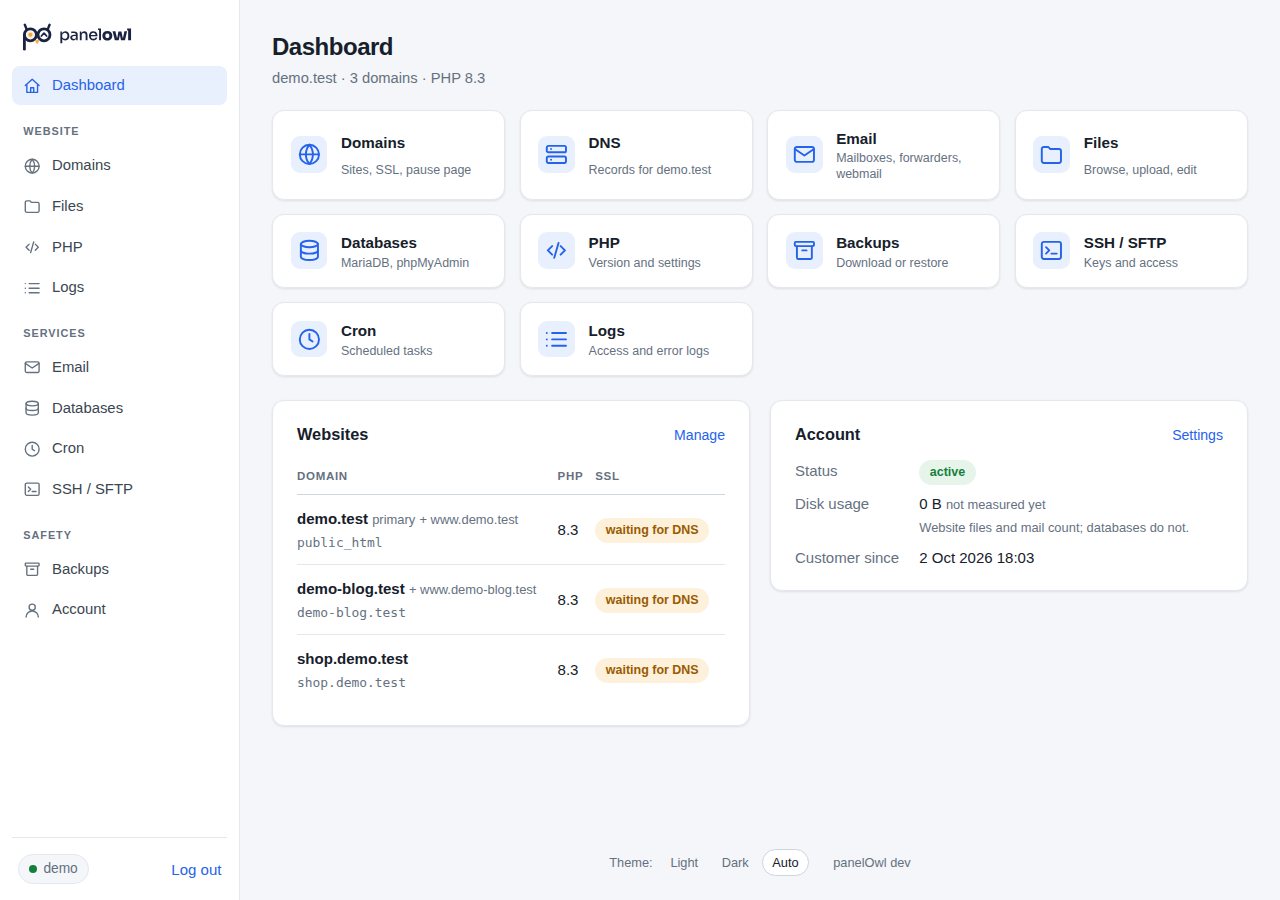
- One tile per task.Domains, DNS, Email, Files, Databases, PHP, Backups, SSH, Cron, Logs. Nothing hidden three menus deep.
- Plain words."Waiting for DNS", "secured", "2 Oct 2026": no state codes, no timestamps to decode.
- Fast on any connection.Server-rendered pages with one small stylesheet. No spinners, no client-side framework, works on a phone.
- Their own pause page.If a site hits its limits, visitors see a page the client wrote, served as a static file at zero cost.
Install the panel in five minutes
A fresh Ubuntu 24.04 server, a hostname that points at it, and one line. The installer shows every setting before it touches anything, and it is safe to re-run.
curl -fsSL https://panelowl.com/install.sh | sudo bash
Three questions (hostname, email, licence key), then it does the rest and hands you the admin login. Nothing is installed before you confirm.
$ curl -fsSL https://panelowl.com/install.sh | sudo bash
==> Fetching the latest release
Server hostname (FQDN) [panel.example.com]:
Admin email for Let's Encrypt [you@example.com]:
Licence key from panelowl.com (paste it, or press Enter to add it later):
==> Installing Apache, PHP-FPM, MariaDB, Postfix, Dovecot, Rspamd…
✓ panelOwl is installed. Admin UI: https://panel.example.com:2087/
  login: admin   password: Xk9…   (shown once; 2FA at first sign-in)
$
- Point a hostname at the serverAn A record for
panel.example.com. - Paste the one-linerIt fetches the latest signed release, checks it and asks three questions. The first admin login is created for you.
- Forget about itCertificates renew, backups run nightly, the server tells you when a new release is out.
Move a cPanel account in one command
Take the full account backup cPanel already makes, hand it to panelOwl, and the account is back: same files, same mailboxes, same databases, same passwords. Or point panelOwl at the old server and let it fetch the account itself. No re-entering, no mass password resets, no angry clients.
- Download the backup in cPanelBackup → Download a Full Account Backup. You get
backup-…_user.tar.gz. (Or/scripts/pkgacct useron the old server.) - Copy it to your panelOwl server
scp backup-…_user.tar.gz root@panel.example.com:/var/lib/minipanel/imports/ - Import itOne command, or Accounts → Import from cPanel in the admin UI. The plan shows what will happen before anything is touched.
- Or skip the first three stepsWith root SSH to the old server,
panelctl import remote root@old.server userpackages the account there, copies it over and imports it, all in one go. - Point the DNS hereCertificates are issued by themselves once the names resolve. Done.
$ panelctl import cpmove backup-10.2.2026_kvibes.tar.gz
Account:   kvibes  PHP 8.2  quota 5000 MB
Domains:   kvibes.ca (main) shop.kvibes.ca (sub)
Mail:      6 mailboxes (passwords kept), 2 forwarders
Databases: kvibes_wp; users: kvibes_wp (passwords kept)
Login:     the cPanel password keeps working
Import into the new account kvibes? [y/N] y
==> Copying files and mail … 2012 files
==> Mailboxes · Databases · Cron jobs
✓ Imported kvibes: 2 domains, 6 mailboxes, 1 database
A cPanel alternative that feels familiar. Lighter in every way.
Same words, same places (List Accounts, Create a New Account, Manage, Terminate, port 2087), without the weight. Read the full panelOwl vs cPanel comparison →
| panelOwl | Typical commercial panel | |
|---|---|---|
| Price | $39.95 a month per server, every account included | Tiers that grow with your account count |
| Underneath | Standard Ubuntu packages: Apache, PHP-FPM, MariaDB, Postfix, Dovecot, Rspamd | Custom builds and patched daemons |
| Panel pages | Server-rendered, no JavaScript, one stylesheet | Heavy JavaScript apps |
| Privilege model | Unprivileged web apps; a helper with named, audited actions | Large root-level codebase |
| DNS | PowerDNS, Cloudflare, or your existing cPanel DNS cluster | Its own cluster only |
| Leaving cPanel | Import the cPanel backup: files, mail, databases, passwords, in one step | Rebuild by hand or pay for a migration |
| Updates | Signed feed, one confirmation, never automatic | Forced release channels |
| Resource limits | cgroups per account, live graphs, automatic cool-down | Add-on products |
One price. One server. Every account.
Most panels bill you per account, so your costs climb with every customer you win. panelOwl charges per server: host five accounts or five hundred for the same flat price.
per server
- Unlimited hosting accounts and domains
- Every feature and every update, no add-ons, ever
- Licence verified on your server, never on ours
- Cancel any time, keep running to the end of the month
Secure checkout by Stripe or PayPal. Your licence key is emailed the moment the payment clears, and renews itself every month.
Frequently asked questions
Does it run on anything other than Ubuntu 24.04?
Not yet. One well-tested platform is the point: every generated config, every systemd unit and every test runs against Ubuntu 24.04 LTS. Newer LTS releases follow.
How hard is it to move a site from cPanel?
Download the full account backup in cPanel, copy the file to the panelOwl server and run one command (or click Import from cPanel in the admin UI). The account comes back with its domains, files, mailboxes and their passwords, databases and their passwords, forwarders, cron jobs and custom DNS records; the client even keeps the cPanel login password. Then change the DNS. Nothing to re-enter, nobody to re-password.
What does an admin do from the command line?
Anything destructive or server-level: restores, rebuilds, PHP versions, admin logins, panelctl doctor. Day-to-day account work lives in the admin UI on port 2087.
How are releases secured?
Every release manifest is signed with an Ed25519 key whose public half is built into the binaries; the tarball's hash is part of the signature. A release that does not verify is never unpacked.
What does the panel phone home for?
Two things, once a day: a newer release on the feed, and the renewed licence key for your subscription. The licence itself is verified on your server with a built-in public key. If panelowl.com is unreachable nothing stops; the panel simply keeps the key it has.
What happens if I stop paying?
Your sites, mail, backups and both panels keep running. After the paid month plus a week of grace, the server stops creating new accounts and domains until a key is installed again. Nothing is ever switched off.